NA Series(-V2)
Programmable Terminal
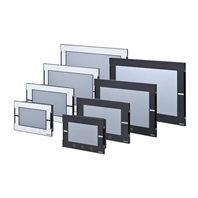
The Omron Sysmac HMI enables faster, more efficient control and monitoring - and a more natural, proactive relationship between operator and machine. Wide screen models: 7, 9, 12 and 15 inches
Related Contents
 Application Solutions
last update: July 1, 2026
Fast, efficient development with the Sysmac automation platform
One machine control through one connection and one software is how we define the Sysmac automation platform.
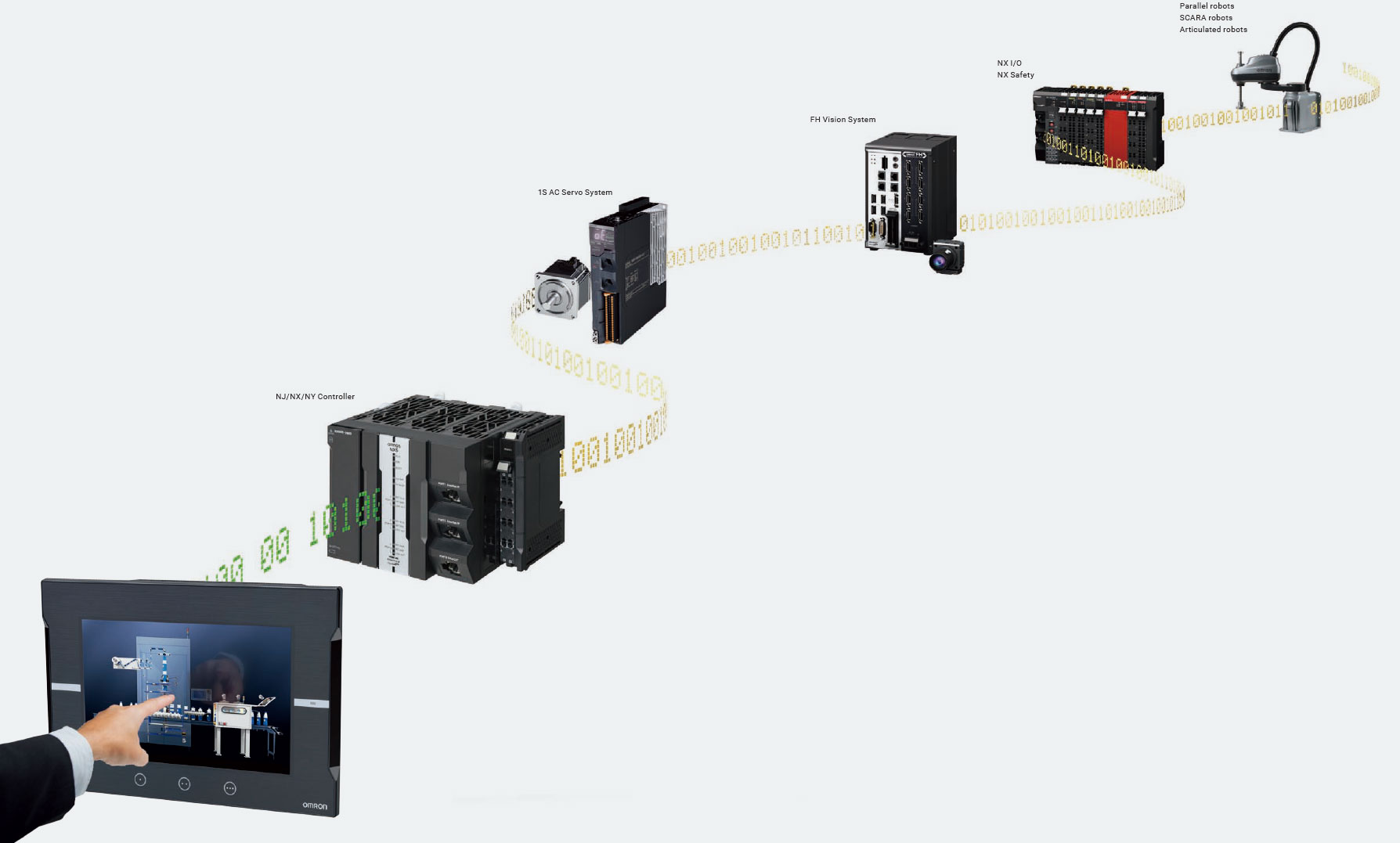
With this concept, the Sysmac automation platform provides a seamless link between the devices in the machine control network and the field communication network.
The NA Series has been developed based on this concept as well. With Sysmac Studio that manages everything, the NA Series boosts development productivity in programming environment.
One Software
One Integrated Development Environment Software - Sysmac Studio
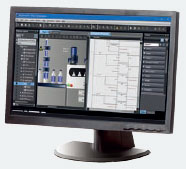
Your programming environment will be endowed with higher development productivity with Sysmac Studio, which is the centerpiece of the Sysmac Platform to bring together all areas of automation including: logic, motion, vision, safety and visualization.
Controlling everything of the machine through one integrated project, Sysmac Studio speeds up interface development by using each device’s design data seamlessly in all devices.
Integrated testing through simulation of programs on controller and the NA Series at the same time makes debugging quicker, reducing the time it takes to launch your machine.
One Connection
Seamless between communication and machine control networks
EtherCAT®, which links servo drivers, I/O and other field network devices into one, is used as the machine control network to enable fast, precise control. The machine automation controller comes standard with built-in EtherCAT and EtherNet/IP.
The two networks with one connection purpose and integrated safety are the perfect match between fast real time machine control and data plant management.
Equipped with an EtherNet/IP™ port as standard, the NA Series connects to the system easily.
One Machine Control
Powerful, yet easy to configure
One integrated controller is designed to meet extreme requirements in terms of logic sequence and motion control speed and accuracy.
Standard programming and open networks make it easy to build your automation system.
NA-series transforms machine data into information, shows information and controls devices based on requirements at FA manufacturing sites.
Flexible operation environment with no location/device constraint
The NA Series expands the lineup, functionality and controller compatibility to enable status monitoring and operation not limited by devices or locations.
NA5
A range of options, functionality and refined design
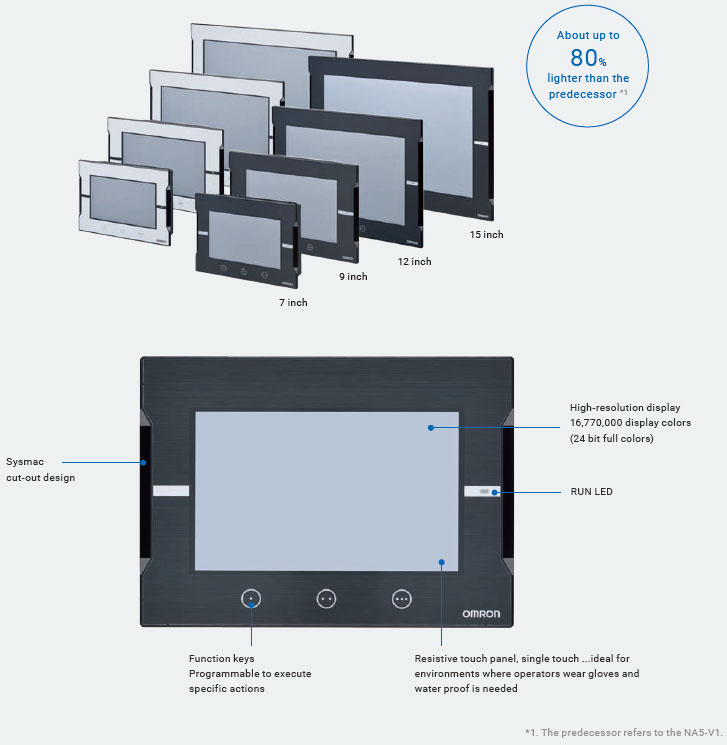
Widescreen variations of 7, 9, 12 and 15 inches are available.
Designed for field operability, the NA5-V2 is lighter than the predecessor *1 and has a 16,770k-color high-resolution display and a resistive touch panel working with gloves.
Additionally, design is coordinated to unify the Sysmac products.
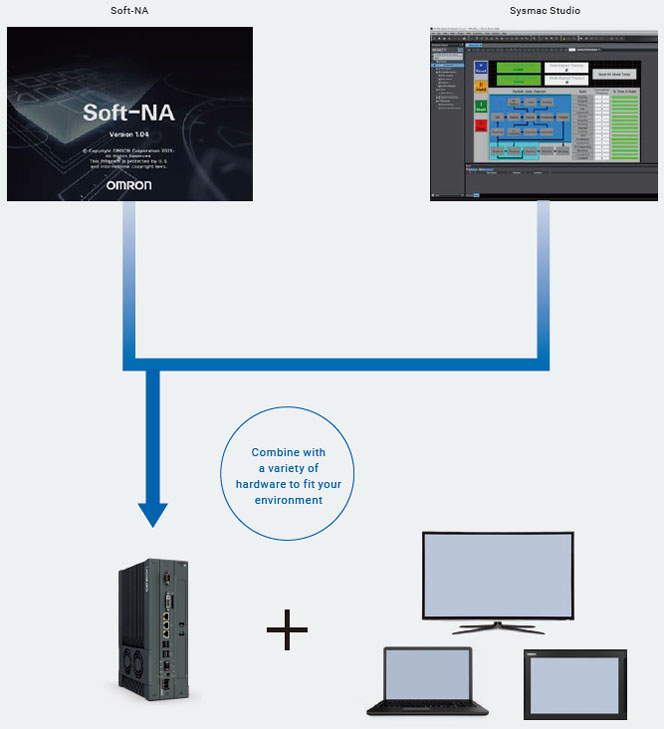
Soft-NA
The NA5 works on Windows
Soft-NA provides equivalent functionality to NA5. This Windows application can be used with a wide variety of hardware including a large monitor and environment-resistant monitor.
It is possible to run both your own data collection program and Soft-NA. This allows for visualization of machine data helps reduce downtime, allowing for rapid response to changing user needs.
Powerful support for your machine design and operation
Inheriting previous features, the NA5-V2 enhances development efficiency and productivity with your machine.
The NA Series keeps advancing to be more useful and easier to use in each phase of machine design and operation.
Machine design
Program advanced functions with a general-purpose language, customize keypads, and create flexible screens with localized settings from a global perspective. Also, debugging is possible together with the controller by Integrated Simulator and this speeds up machine development.
Flexible to your needs
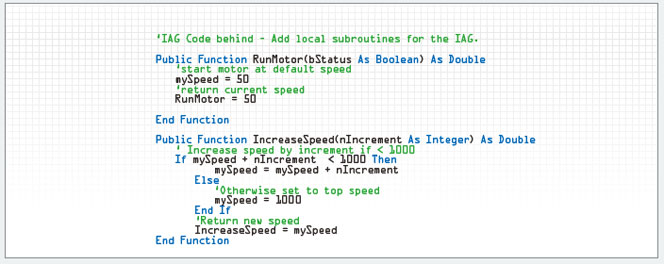
Visual Basic
Visual Basic, which is a popular, easy-to-learn scripting language, is used. With its help that lets you easily program complex process, program advanced functions and tasks that you cannot achieve with standard objects.
Special device communication and information processing built to customer requirements increase customer satisfaction.
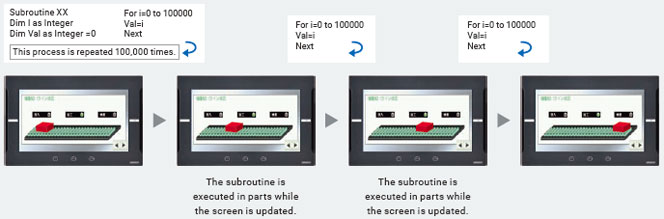
Executing a subroutine with multiple threads
Some subroutines require time due to repeated processing or waiting time.
Even such a subroutine can be executed during screen update, without affecting operability and visibility.
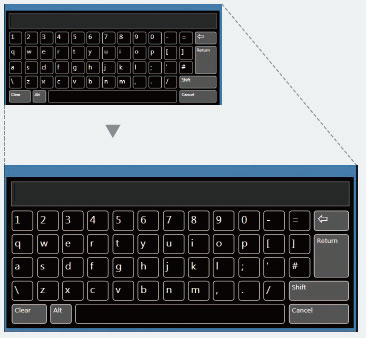
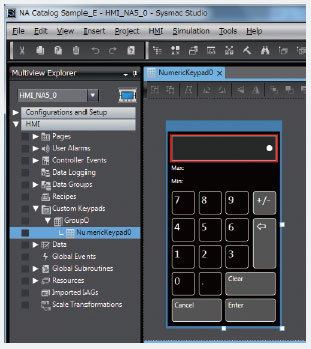
Keypad customization
Create your own keypad suitable for your applications; change the keypad size, choose only the keys you need, and customize the keys to execute specified actions.
Create your own keypad suitable for your applications.
Changing the keypad size
The size can be changed to suit the user's needs.
Creating user's own keypad
Only the keys the user needs can be chosen, and the keys to execute specified actions can be customized.
Design Standardization
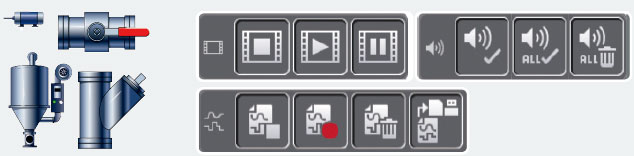
IAG (Intelligent Application Gadgets)
IAGs structure projects and enhance the efficiency of their reuse. From simple graphics to complex objects, you can make your own collections and share them between projects, like a Function Block. Once created and evaluated, IAGs can be reused in projects, making development faster and easier in securing design quality with less design errors. As with many graphic objects, embed code within an IAG for easier and speedier screen development process.
To extend the functionality of the NA Series, download IAG collections from Omron’s website.
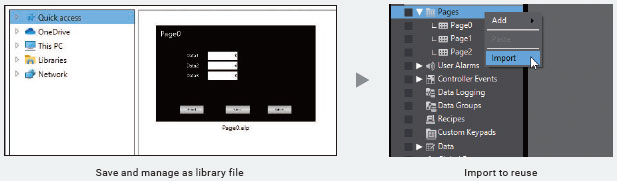
Importing and exporting pages
Pages can be saved as library files and reused individually in other projects.
Custom object registration
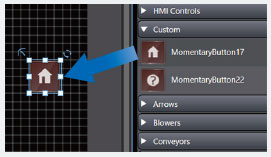
Once specified, objects can be saved in Toolbox.
You don’t need to bother opening the page from which to copy objects, but just insert them directly from Toolbox.
Quicker and Easier Debugging
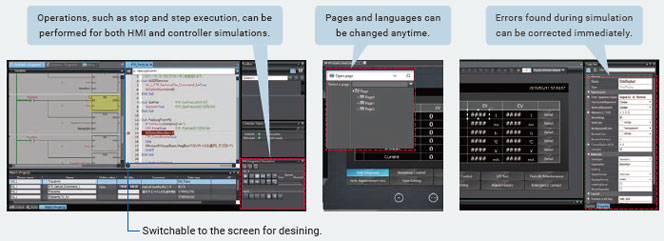
Integrated Simulator
Machine Automation Controller Simulator and NA HMI Simulator can be displayed on one screen.
You can quickly debug the controller program and the HMI application at the same time. And immediate debugging during simulation before building will prevent you from forgetting to correct errors and reduce the frequency of building.
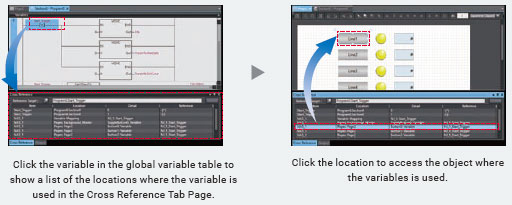
Cross references
The same GUI for the cross reference function as Machine Automation Controller can be used.
When a variable is clicked in the global variable table, a list of the locations where the variable is used is displayed in the Cross Reference Tab Page. By clicking the location, you can access the object, subroutine, or ladder program where the variable is used across the entire project. This makes screen design and debugging quicker and easier.
Search and Replace
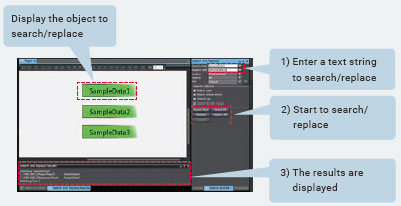
You can search and replace text strings in all subroutines (Visual Basic), objects, and variables within a project. It is quick and easy to edit and debug variable names and switch labels.
Overseas Delivery Support
Multilingual text fonts supported
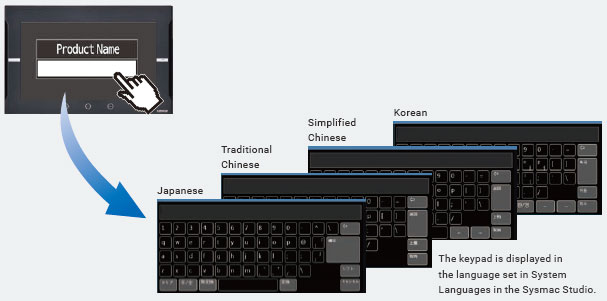
As the system language for the keypad, nine languages including Japanese, simplified Chinese and Korean are supported.
More project languages are supported for labels and buttons. You can set font formats, sizes and styles for each language. Select a font suitable for the language that you select.
Also the font of a specified object can be changed according to language.
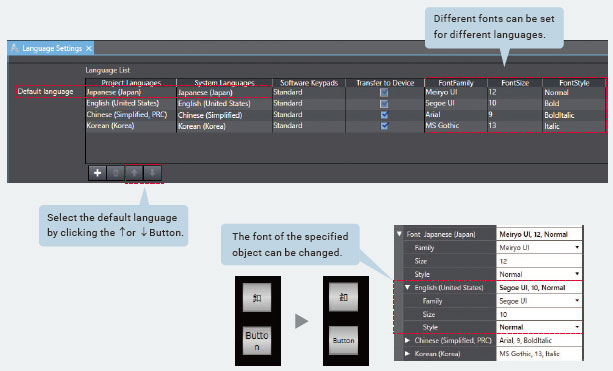
Supporting Asian languages
An Asian language - Japanese, simplified Chinese, traditional Chinese, or Korean - can be selected to use in the keypad of the NA Series.
The keypad language changes automatically when the language is changed in the language settings.
Local languages can be used to input the names of products when new recipes of the food packaging machine are added.
Resource management
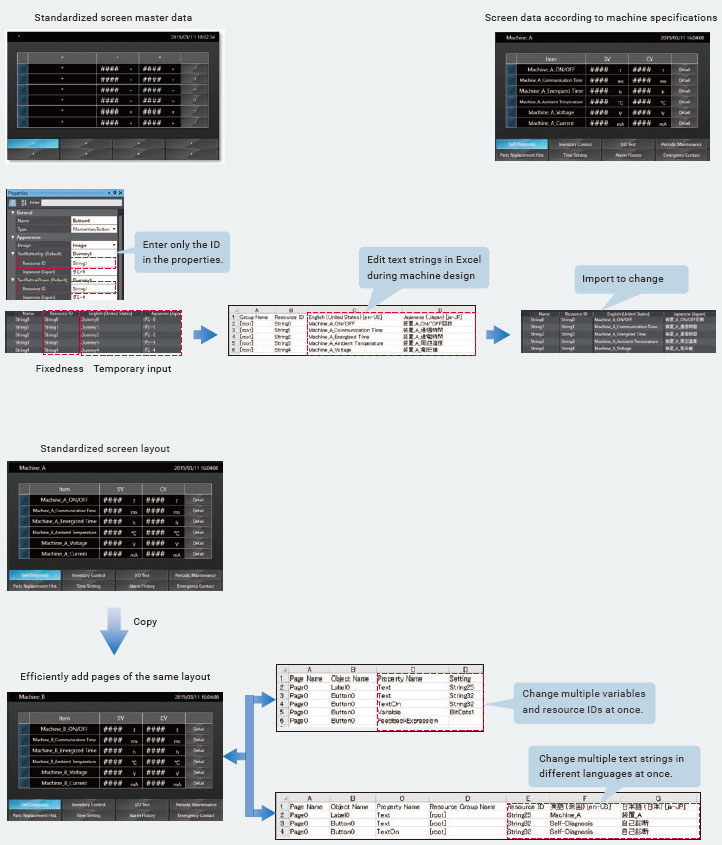
In addition to entering a text string directly in properties, you can assign an ID first and enter a text string later. This resource ID-based management enables you to standardize screens first and then enter all text strings edited in Excel to suit machine specifications. Multiple properties can be edited at once in Excel, making resource editing easier, faster, and more precise.
Machine Operation
The NA5-V2 monitors machine status in case of possible trouble so your customers can use your machine with no worry.
Quick Troubleshooting + No Need of Maintenance
Troubleshooter
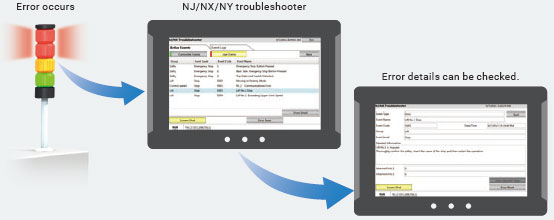
The Troubleshooter on the NA Series allows you to directly monitor and release Machine Automation Controller errors and events as well as the user-defined errors and events.
Safety Monitor
Efficiently monitor the entire system status including safety devices.
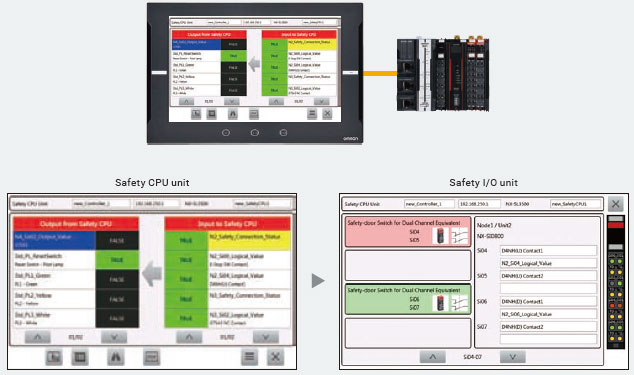
The exposed variables used in safety programs can be listed. You can easily monitor the safety system status via safety controller output (error) associated with input (cause/condition).
To efficiently show the I/O status of safety systems, the NA5-V2 displays the status of safety CPU units and the detailed information of mapped safety I/O units.
No Need of Battery Replacement
With no use of battery, the NA5-V2 facilitates export formalities. The RTC operates alone for max 10 days and this saves your customers the battery replacement man-hours and control.
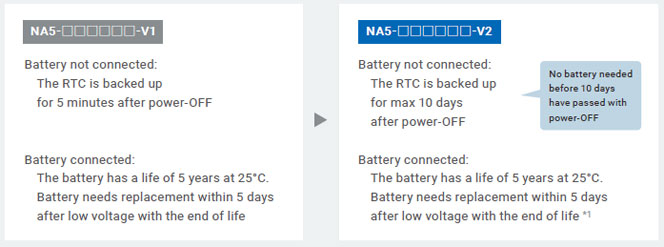
*1. A maximum of 10 days if certain conditions are met For the conditions, refer to the NA-series Programmable Terminal Hardware (-V2) User's Manual (V128).
Network & Security
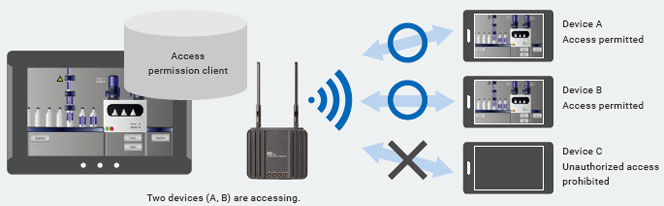
Remote access
You can view and operate the HMI installed at production sites from your tablet using Ethernet or WiFi.
The access of remote devices can be managed and limited with white list filtering (IP/MAC addresses) to prevent accidental operation and information leakage while securing accessibility.
User Accounts & Access Control
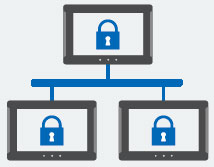
The NA Series can be configured to specific staff, with multi access levels with password protection.
This ensures authorised people interact with the machine.
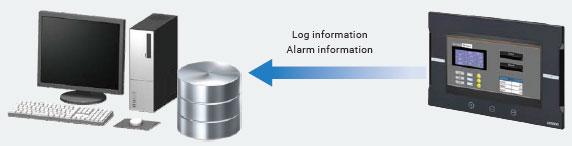
FTP
Retrieve log/alarm information stored in the NA Unit’s memory card or USB memory device from an office PC. (FTP server function)
You can send log information from the NA to an external FTP server. (FTP client function)
General Functions
Operation Log
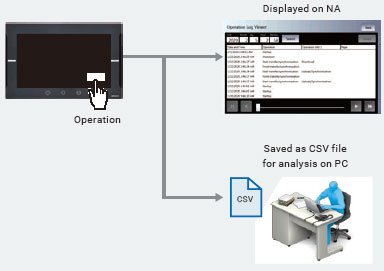
The system events that the NA Series detects and the operations that operators perform on the HMI can be logged.
The logs can be displayed on the NA Series, and can also be saved as CSV files to display them on your PC.
You can see who and when did what in a chronological order, helping you analyze errors.
Alarm
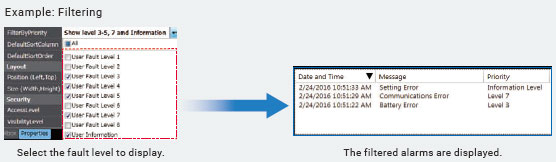
You can “sort” alarms by the preset item and “filter” by any keyword.
The error location can be quickly identified from a large number of alarms.
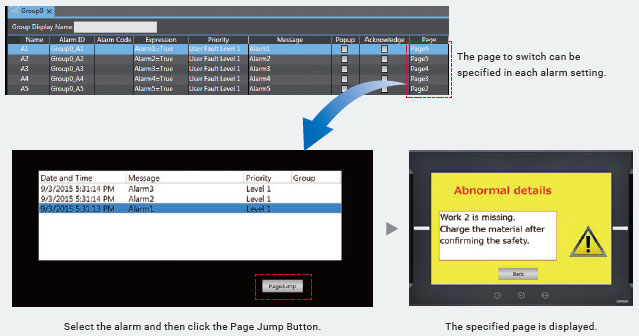
The page to switch can be specified in each alarm setting.
When an alarm occurs, you can check the troubleshooter screen by selecting the displayed alarm.
last update: July 1, 2026
 Top of page